Importing YAML Rule Files
Fluxzy offers an extensive range of traffic modification capabilities that go far beyond what can be showcased in the Features section of this documentation. These capabilities include advanced request/response manipulation, protocol-level modifications, scripting, and much more.
While the graphical interface provides access to common rule types, the YAML rule format gives you access to the full power of Fluxzy's rule engine. By importing YAML configurations, you can leverage advanced options and fine-tune every aspect of how Fluxzy handles your traffic.
Finding and Generating Rules
Browsing the Rule Library
You can browse the complete library of available actions and filters at fluxzy.io/rule/find. This searchable catalog contains:
- All available filter types for matching specific traffic patterns
- All available actions for modifying requests and responses
- Detailed documentation and examples for each rule component
AI-Assisted Rule Generation
Modern LLMs like Claude Opus 4.5 can understand Fluxzy's rule syntax and generate custom rules based on your requirements. Simply describe what you want to achieve, and the AI can produce valid YAML configurations ready for import. This opens up powerful automation possibilities for complex traffic manipulation scenarios that would be time-consuming to configure manually.
Step-by-Step Guide to Import YAML Rules
Accessing Rule Management
There are several ways to open the rule management dialog:
- Keyboard shortcut: Press
Ctrl+T(Windows/Linux) orCmd+T(macOS) to access the search everywhere tool, then type "Manage rules" - Menu navigation: Go to Settings > Manage Rules
- Status bar: Click on the area where "Active rules" is displayed
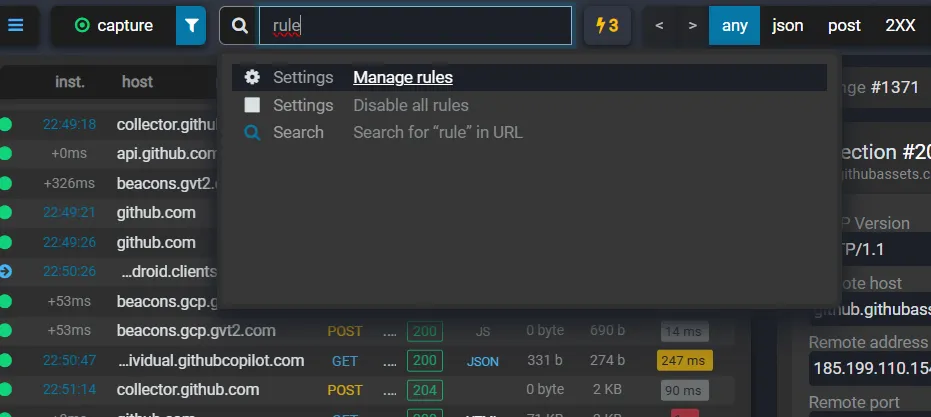
Importing a Rule
Once you have the rule management dialog open:
- Click on the Import button in the rule management dialog
- A dialog will appear where you can paste your YAML rule configuration
- Alternatively, you can import directly from a file by using the file import option
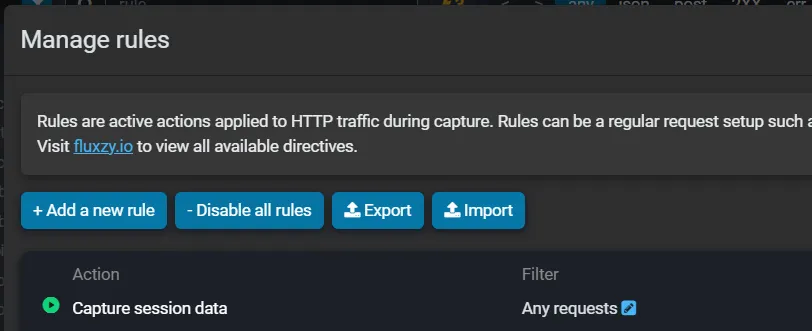
YAML Syntax Requirements
When importing rules, keep the following in mind:
- The rule must be syntactically valid YAML
- Fluxzy will validate the rule structure before importing
- If there are syntax errors, an error message will be displayed indicating the problem
- All action and filter types must be valid Fluxzy components (see the rule library for reference)
After Import
Once your rule is successfully imported:
- Imported rules are added to your existing rule set (they do not replace existing rules)
- Once saved, the new rules will appear in the rules list
- Rules are applied in the order they appear in the list
- You can reorder, edit, or delete imported rules just like any other rule
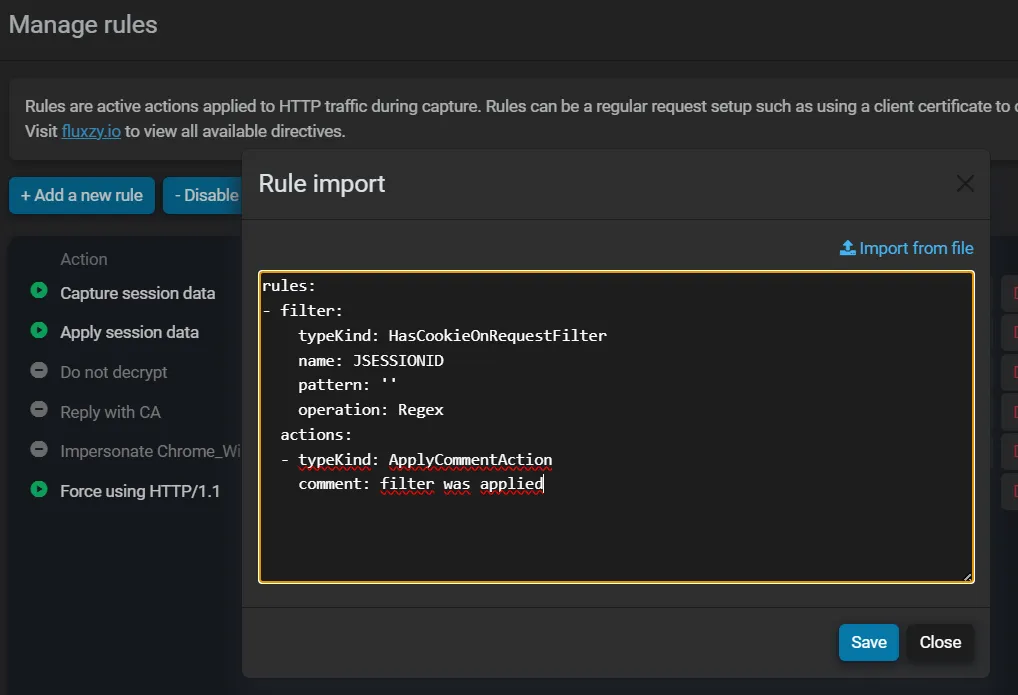
Example YAML Rule
Here is a simple example of a YAML rule that adds a custom header to all responses:
rules:
  - filter:
      typeKind: AnyFilter
    actions:
      - typeKind: AddResponseHeaderAction
        headerName: X-Custom-Header
        headerValue: Added by Fluxzy
This rule will:
- Match any request (using
AnyFilter) - Add a response header named
X-Custom-Headerwith the value "Added by Fluxzy"
For more complex examples, including rules with specific host filters, request body modifications, and conditional logic, visit the rule search page.
Tips and Best Practices
Getting Started with YAML Rules
- Start with simple rules and gradually build complexity as you become familiar with the syntax
- Test rules on a small scope before applying them to all traffic
- Use the rule search to discover available actions and filters
- Back up your rules before making major changes by exporting your current configuration
When working with YAML rules:
- Validate before importing: Use a YAML validator to check syntax before importing into Fluxzy
- Use descriptive names: When creating complex rule sets, consider adding comments to document the purpose of each rule
- Order matters: Rules are evaluated in order, so place more specific rules before general ones
- Test incrementally: Enable one rule at a time when debugging complex configurations
Related Resources
- Modifying traffic with rules - Overview of the rule system
- Rule search engine - Browse all available actions and filters
- Add HTTP headers - Example of header manipulation rules