Overview
Fluxzy CLI is a free, completely open-source command line tool for capturing, analyzing, debugging, and altering HTTP/HTTPS traffic. Built with .NET, it runs natively on Windows, macOS, and Linux without requiring additional runtimes.
The full source code is available on GitHub: https://github.com/haga-rak/fluxzy.core
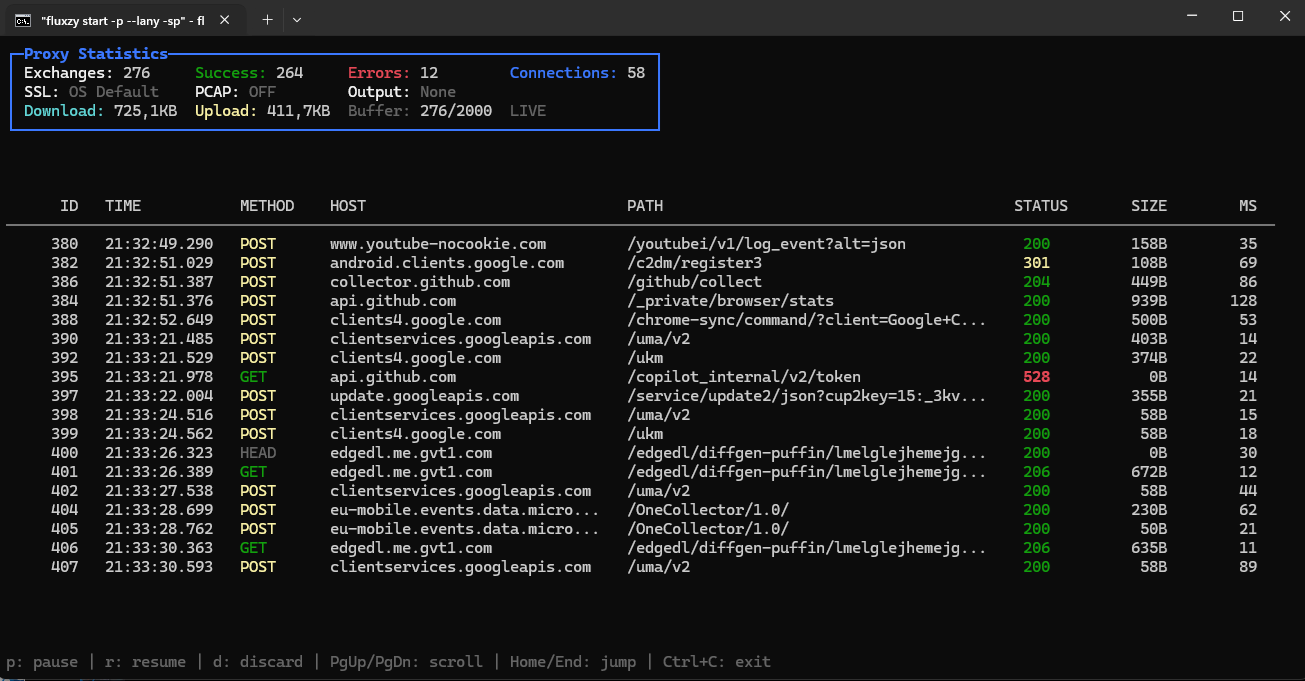
Example with fluxzy start -p --lany -sp
What You Can Do
With Fluxzy CLI, you can:
- Capture HTTP/HTTPS traffic — Intercept and record HTTP/1.1, HTTP/2, and WebSocket traffic from any application
- Act as a system proxy — Automatically deflect OS traffic through Fluxzy with a single flag
- Decrypt TLS traffic — Inspect encrypted HTTPS traffic in clear text using automatic or custom root CA certificates
- Alter traffic on the fly — Modify requests and responses using rule files without writing code (add/remove headers, change URLs, mock responses, etc.)
- Export to standard formats — Save captures to HAR (HTTP Archive) format or Fluxzy's native
.fxzyformat - Analyze captures — Extract specific exchanges, filter by criteria, and export request/response bodies
- Capture raw packets — Record PCAP files alongside HTTP data for deep network analysis
- Manage certificates — Create, export, and install root CA certificates for HTTPS interception
Supported Platforms
Fluxzy CLI provides native binaries for:
| Platform | Architectures |
|---|---|
| Windows | x64, x86, ARM64 |
| Linux | x64, ARM64 |
| macOS | Intel (x64), Apple Silicon (ARM64) |
Commands
Fluxzy CLI provides four main commands:
| Command | Description |
|---|---|
fluxzy start |
Start a new capture session |
fluxzy cert |
Manage root CA certificates (export, create, install) |
fluxzy pack |
Pack a dump directory into an archive file (.fxzy or .har) |
fluxzy dissect |
Read and extract data from archives or dump directories |
Getting Help
The recommended way to get help is to use the --help option with any command or subcommand:
fluxzy --help
fluxzy start --help
fluxzy cert --help
This documentation provides a more detailed overview of each command and common usage scenarios.
Download and Install
Check the download page to see all available options for your operating system and install instructions.