Fluxzy Desktop 2.0: A Complete Rebuild That Actually Matters
We rewrote the Fluxzy Desktop frontend from scratch. Not because rewriting is fun (it isn't), but because we needed a leaner foundation to build the features you've been asking for.
To be clear: the backend is still fluxzy.core, the battle-tested .NET engine that's been open source from day one. What changed is everything you see and interact with. Still a substantial undertaking, but we kept the reliable internals intact.
Version 2.0 isn't a feature dump with a version bump. It's a fundamental rethinking of how an HTTP debugging tool should feel in 2026. Smaller, faster, and finally packed with the features you've been asking for.
Let's dig in.
The Elephant in the Room: Goodbye Electron, Hello Tauri
Let's talk about Fluxzy Desktop 1.x performance. The startup time, especially on Windows, wasn't great. Opening multiple archive files felt sluggish. Electron served us well for getting the product out, but as Fluxzy grew, we started bumping against its limitations, particularly the memory overhead and bundle size.
Fluxzy Desktop 2.0 runs on Tauri. The difference is significant:
| Metric | v1 (Electron) | v2 (Tauri) | Improvement |
|---|---|---|---|
| Installer size | ~190 MB | ~60 MB | 68% smaller |
| Cold start time | 😬 | ⚡ | Night and day |
| Memory footprint | Heavy | Lighter | Finally reasonable |
The startup time improvement alone makes this upgrade worth it. No more staring at a splash screen while your debugging session waits. Click, and you're in.
Linux users: You get an AppImage now. No more wrestling with package managers or dependency hell.
A Note on Auto-Update
One casualty of the Electron-to-Tauri migration: the auto-updater is broken for this release. If you're on v1, you'll need to download v2 manually. We know, we know, but trust us, it's worth the thirty seconds.
Fluxzy Connect: Android Debugging Without the Headache
Mobile debugging has always been the weak link in HTTP proxying. Configure WiFi proxy settings, install certificates, hope nothing breaks, and even then, you're capturing everything from the device, not just the app you care about.
Fluxzy Connect changes this entirely.
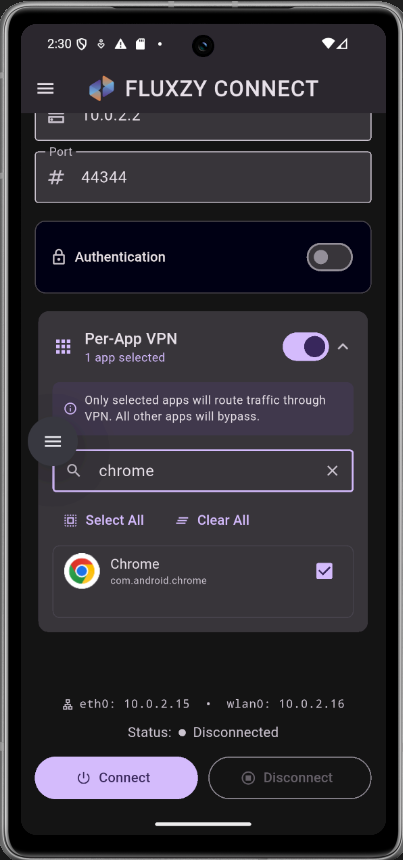
[screenshot='Fluxzy Connect app on Android showing per-app traffic filtering']
It's a free Android app that connects your phone to your Fluxzy instance over the LAN. The killer feature? Per-application traffic filtering. Only see traffic from the app you're actually debugging.
Zero-Config Discovery
Pairing your phone with Fluxzy Desktop is dead simple. Enable the Discovery Service in Settings → Discovery Service, and Fluxzy Connect will automatically detect available Fluxzy instances on your network. No IP addresses to type, no ports to remember.
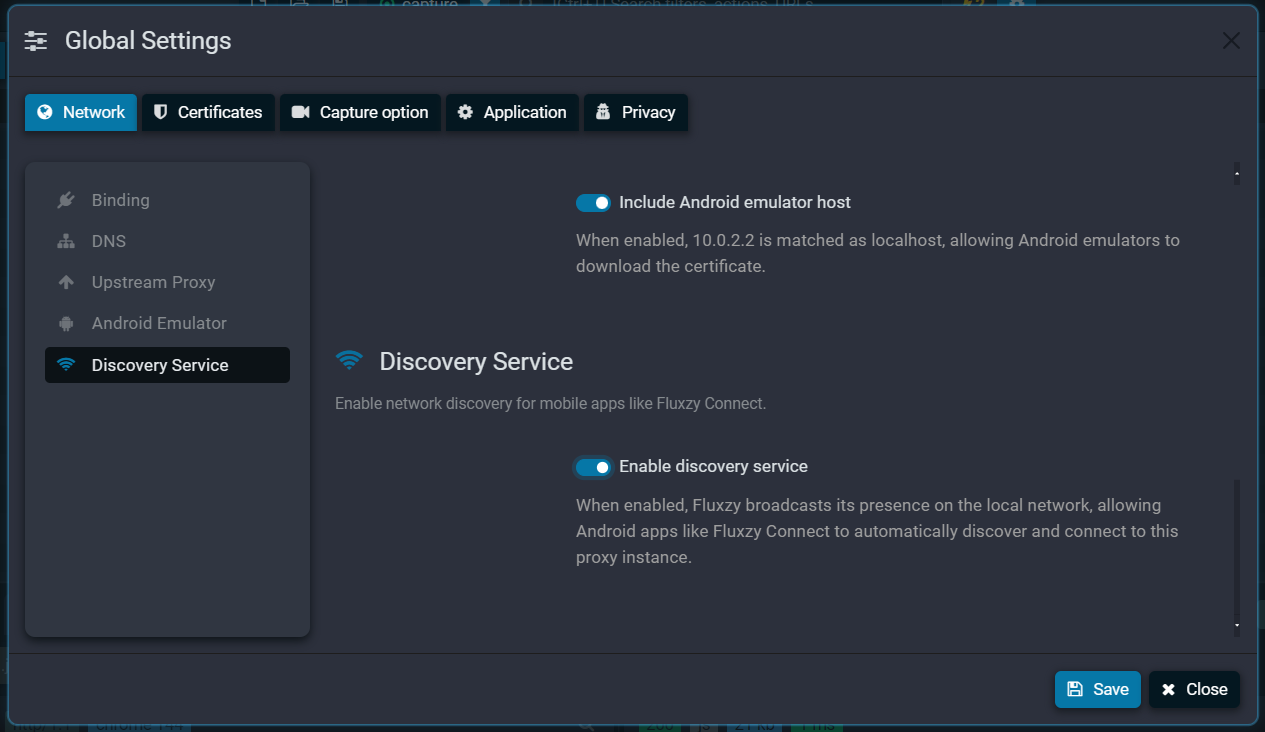
Under the hood, we're doing TUN-to-SOCKS transformation using the Fluxzy protocol. This means:
- Zero traffic from system services cluttering your view
- Works with apps that ignore system proxy settings
- Can also function as a standalone SOCKS-to-TUN utility (even without Fluxzy Desktop)
For teams running automated tests, we've included a management API. Your test harness can verify proxy availability before execution, no more flaky tests because the proxy wasn't ready.
The Diff Tool: Why Did This Take So Long?
I'll be honest, this should have shipped years ago. Comparing two HTTP exchanges is bread-and-butter for debugging, and we made you reach for external tools. Sorry about that.
Fluxzy 2.0 has a proper diff tool built in. But we didn't just slap diff on two text blobs. HTTP exchanges have structure, and the diff tool understands that structure.
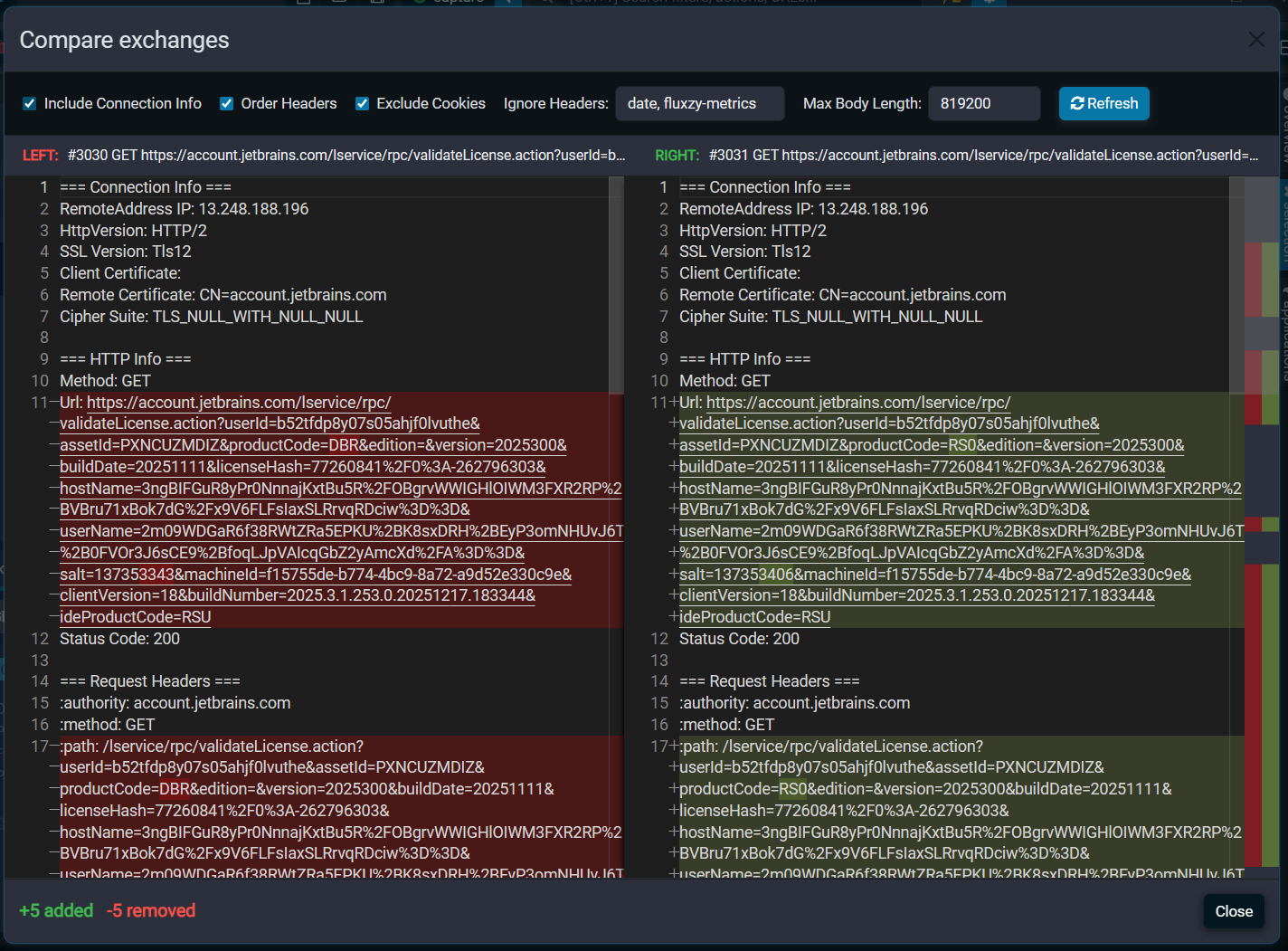
Here's what makes it actually useful:
Smart Header Comparison
HTTP headers can appear in any order. Our diff normalizes header ordering before comparison, so you're not distracted by meaningless reorderings.
Noise Reduction
Some headers change on every request, timestamps, session cookies, request IDs. The diff tool knows to skip these "always-different" headers, surfacing only the changes that matter.
Content-Aware Formatting
Before comparing bodies, we:
- Prettify JSON so
{"a":1}and{"a": 1}don't show as different - Normalize XML formatting
- Hash binary content instead of showing incomprehensible byte differences
Monaco Editor Integration: VS Code's Brain, Fluxzy's Body
Remember squinting at minified JSON in the response viewer? Those days are over.
We've integrated Monaco, the editor engine behind VS Code, directly into Fluxzy. This isn't just syntax highlighting (though you get that too). It's the full editing experience:
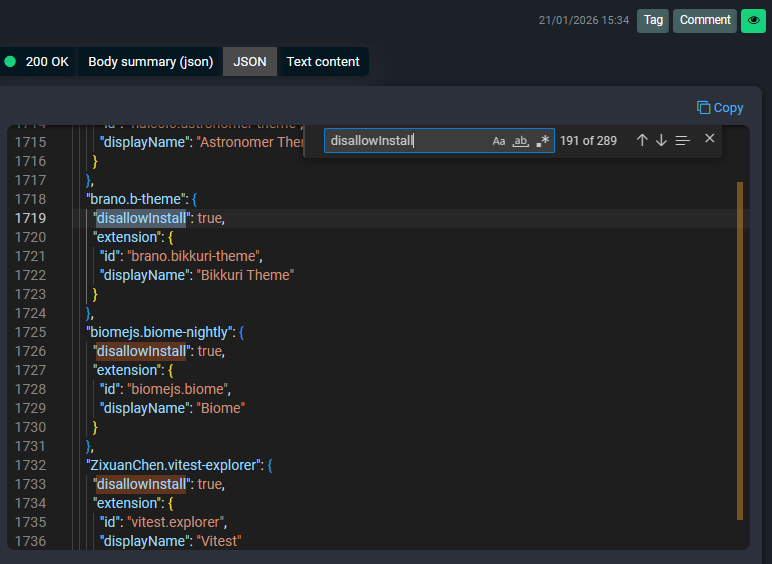
- Syntax highlighting for JSON, XML, HTML, JavaScript, and more
- Code folding to collapse sections you don't care about
- Search and replace with regex support
- Minimap navigation for large responses
- Full keyboard shortcuts (yes, Ctrl+D works)
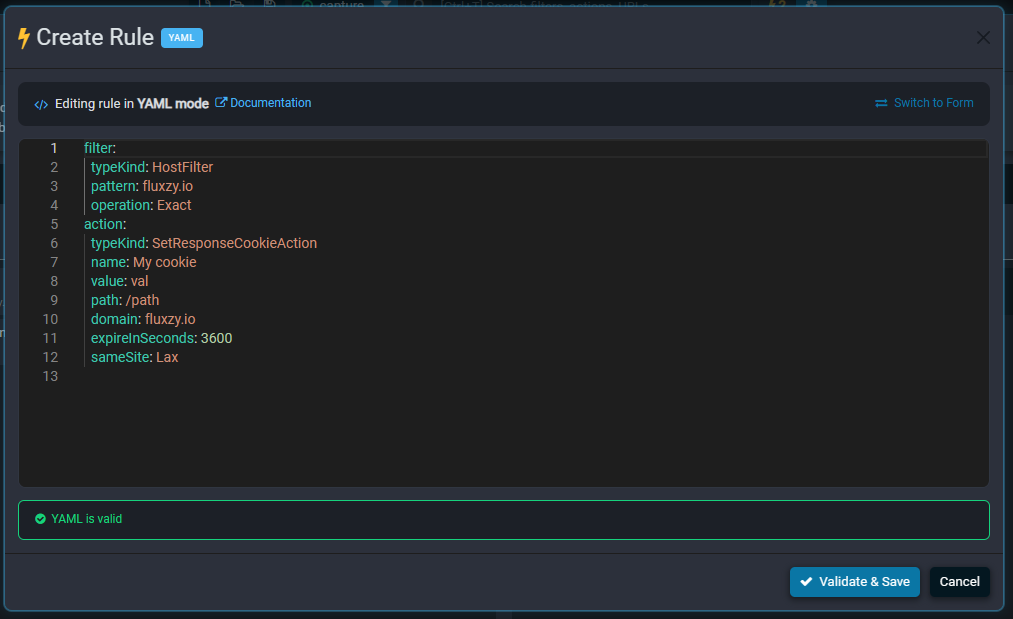
The Monaco integration also powers the rule editor. Writing complex modification rules now feels like writing code in a proper IDE, not fighting a textarea.
Process Tracking: Who's Making That Request?
"Where is this traffic coming from?"
If you've ever stared at a mystery request wondering which application spawned it, process tracking is your answer.
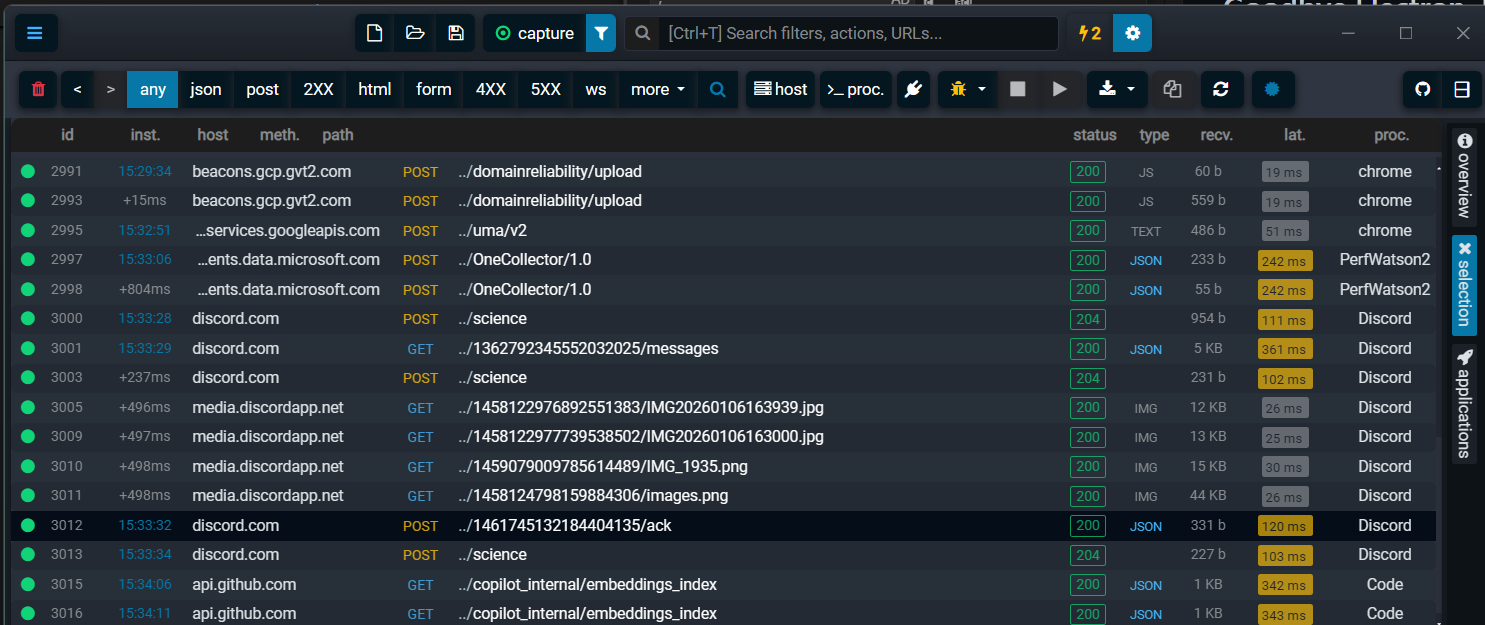
Enable it in Preferences → Capture Options → Process Tracking, and Fluxzy will capture the originating process for each exchange. The process name appears right in the exchange list, and you can filter by it.
This is invaluable when:
- Multiple browsers are running
- Background services are making unexpected calls
- You need to prove that your app isn't the one hammering that endpoint
Platform support:
- ✅ Windows (fully supported)
- ✅ Linux (fully supported)
- 🔜 macOS (coming soon)
A Fresh Look: Horizontal Layout and the Toolbar Renaissance
Some users told us Fluxzy looked too... minimal. That the sparse toolbar made them wonder if features were missing. Fair point.
New Horizontal Layout
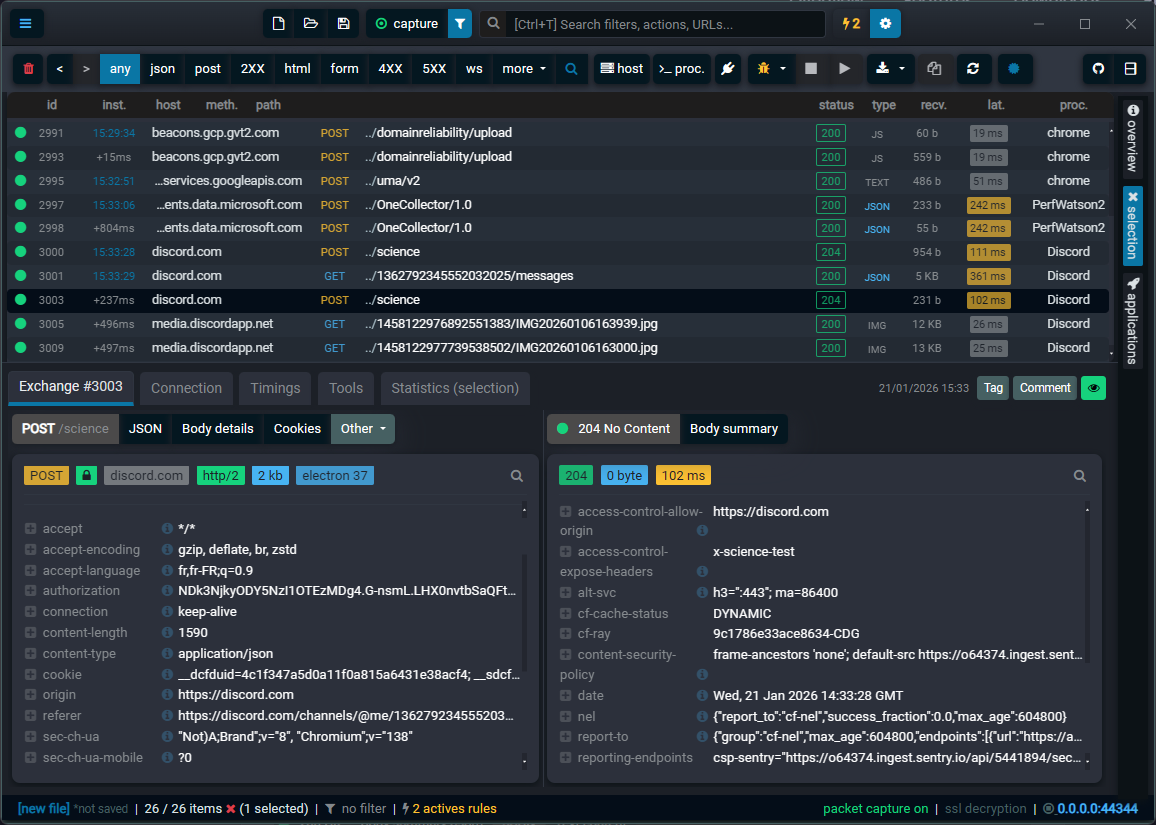
The classic column-based layout is still there, but you can now switch to a horizontal layout that displays more properties in the exchange list. When you're hunting through hundreds of requests, every extra visible column helps.
The Toolbar, Reimagined
We completely reorganized the header. There's now a dedicated row for core operations plus a universal search that lets you find any feature by typing what you want to do.
[screenshot='New toolbar with search feature showing "filter by" suggestions']
Below that, a quick-access toolbar puts your most-used actions one click away:
- Diff selected exchanges
- Duplicate request
- Quick filters (host, status, method)
- Filter by host
- Filter by process

No more menu diving for common operations.
Filter and Rules: Finally Ergonomic
The filter system got a complete UX overhaul. Creating filters used to feel like filling out a tax form. Now it feels like searching.
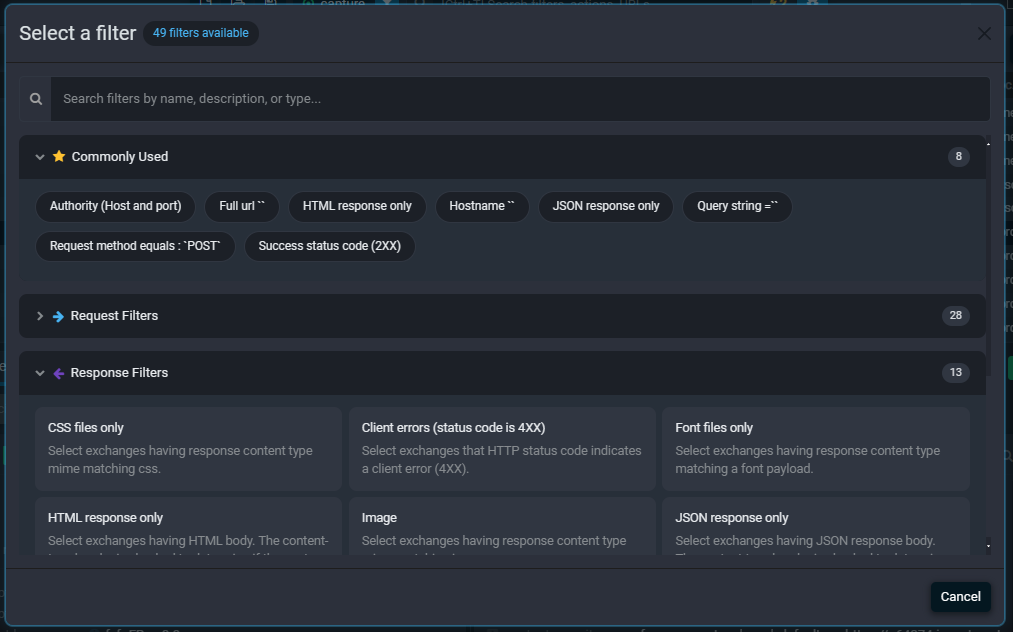
Suggestive search means you can type broad keywords and get relevant options. Want to filter by status code? Type "status" or "code" or "404", the UI suggests what you probably want.
The same treatment applies to the rules engine. Finding the right action no longer requires memorizing a taxonomy. Type what you want to accomplish, and the matching actions surface.
Everything Else
A few more improvements that didn't fit into neat categories:
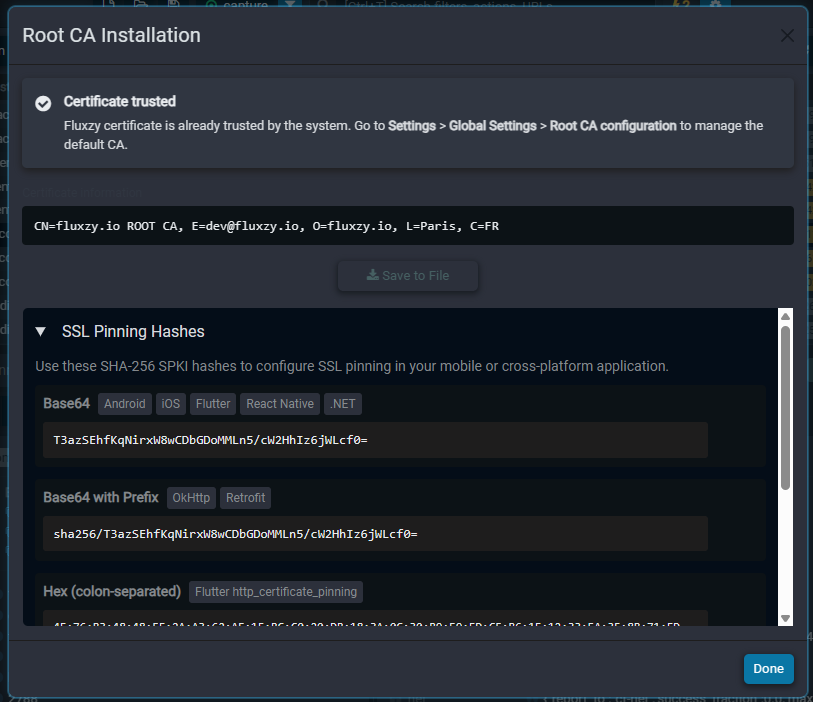
- Certificate Wizard with hash formats: The certificate wizard now displays various hash formats (SHA-256, SHA-1, MD5) that you can copy and use with tools like
openssl, Android'snetwork_security_config.xml, or certificate pinning configurations. No more manual hash extraction.
- Better WebSocket inspection: Message list is now easier to navigate with clearer direction indicators
- Improved certificate management: The certificate installation flow is less confusing (we hope)
- Faster filtering: Large capture sessions filter noticeably quicker
- Refined dark mode: Actually looks good now, not just "inverted colors"
Upgrading
If you're on Fluxzy Desktop 1.x:
- The auto-updater won't work for this release (Electron → Tauri transition broke it)
- Download the new installer from the official website
- Your settings and saved rules will migrate automatically
If you're new to Fluxzy, welcome. Download here and you're up and running in under a minute.
What's Next
We're not done. The macOS process tracking support is actively in development. We're also working on:
- Collaborative session sharing
- Cloud-synced rules
- More protocol support (gRPC inspection is on the radar)
But for now, go grab 2.0. Your future self debugging a production issue at 11 PM will thank you.
Fluxzy Desktop 2.0 is available now for Windows, macOS, and Linux. Download it here.
Found a bug? Have a feature request? Open an issue on GitHub.