How to Intercept gRPC traffic and view it like regular HTTP calls
Since version 2.1.0, Fluxzy Desktop can intercept and display gRPC calls just like regular HTTP calls. gRPC over TLS is fully supported with schema-aware decoding when you provide .proto files. Plain h2c (unencrypted HTTP/2) is not supported yet.
Requirements
HTTP/2 must be enabled on the proxy-to-client connection. It is already enabled by default on the proxy-to-server side.
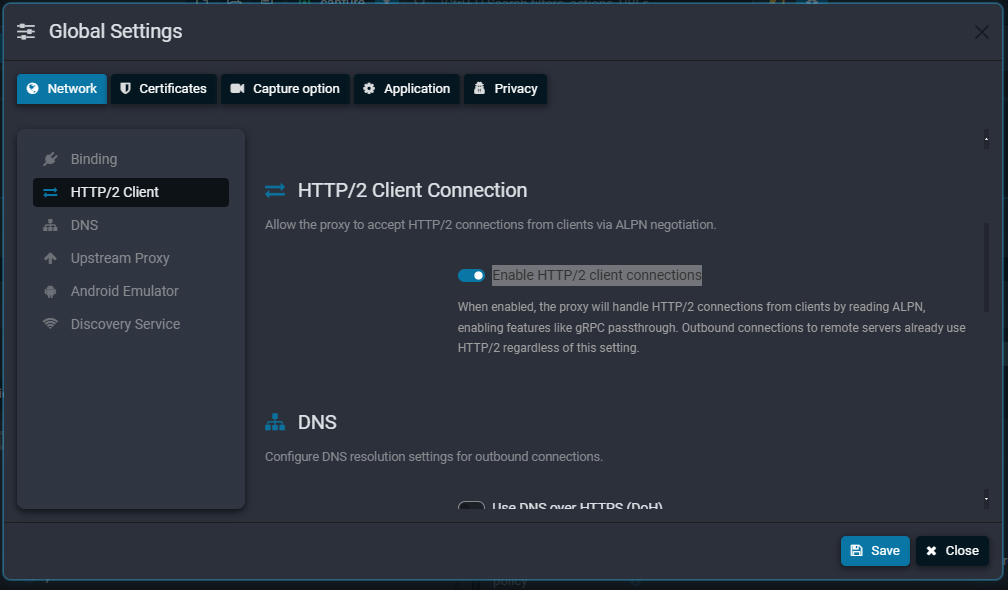
To enable it:
- Open Settings
- Go to HTTP/2 Client
- Check Enable HTTP/2 client connections
Trailer headers
gRPC trailer headers are automatically included in the inspector's header section, so you can view status codes (grpc-status) and error messages (grpc-message) alongside the regular response headers.
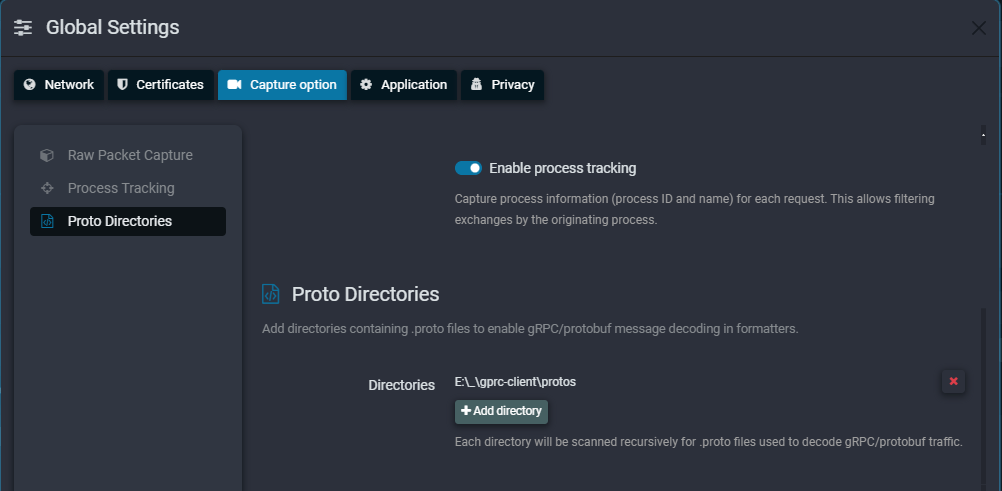
Schema-aware decoding with .proto files
Optionally, you can point the Proto files directory setting to your .proto files. Fluxzy will use them to decode gRPC messages with full schema awareness, showing method names, field names, and structured data instead of raw bytes.