Fluxzy Desktop 2.1: gRPC finally works the way it should
Debugging gRPC has always been that thing everyone pretends is fine. "It's just HTTP/2," people say, as if that settles it. Then they spend an hour trying to decode a protobuf blob in a hex editor while questioning their career choices.
The problem is real: gRPC looks like HTTP on the surface, but the binary framing, the streaming semantics, the protobuf encoding, none of that shows up in a traditional HTTP debugger. You see a POST to some path, a chunked binary body, and good luck figuring out what's actually happening.
We decided to fix this properly.
gRPC debugging that actually helps
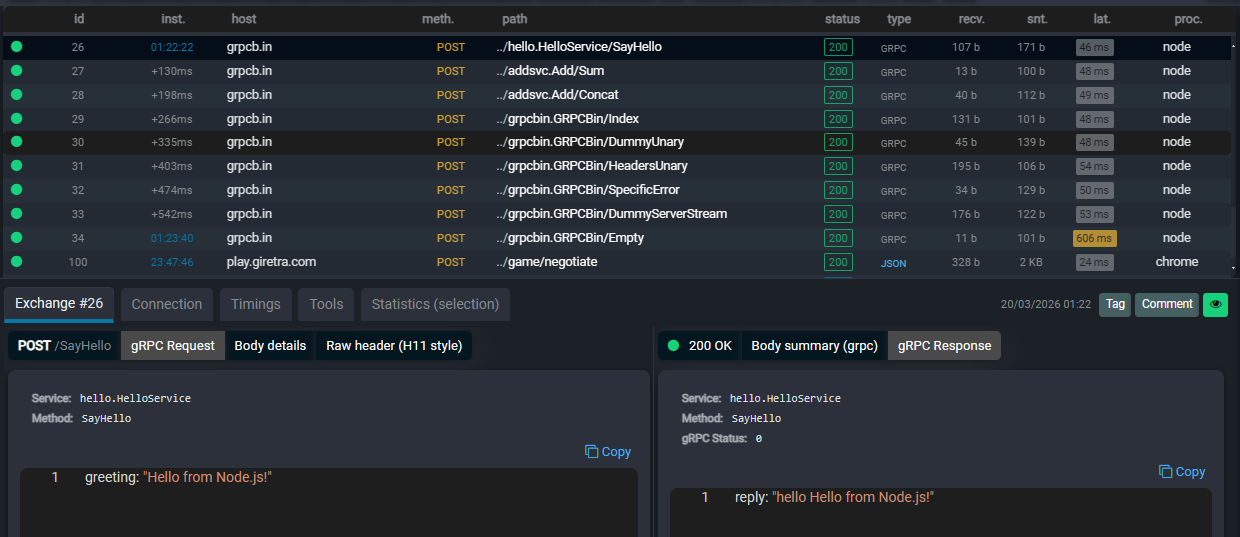
Fluxzy 2.1 understands gRPC natively. When it detects gRPC traffic, it decodes the protobuf messages inline, shows you the service and method names, and presents request/response pairs in a way that makes sense for how gRPC actually works.
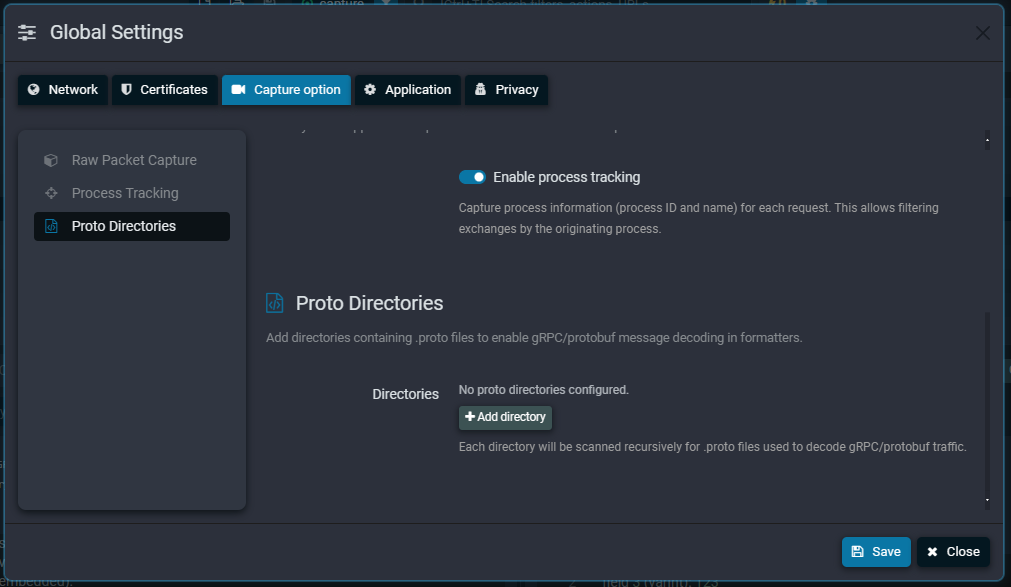
The best part: you can point Fluxzy to your .proto files directory and it will use your actual schema definitions to decode messages with full field names and types. No more staring at field numbers and guessing what field 3: varint 42 means.
Without proto files, you still get raw protobuf decoding with field numbers and wire types. Useful, but having the schema is night and day.
The H2 requirement
One thing to know: gRPC requires HTTP/2 end-to-end. Fluxzy needs H2 enabled on both the client-facing side (Fluxzy to your app) and the server-facing side (Fluxzy to the backend). This is enabled by default, so unless you explicitly opted out of H2 at some point, you're good. If you did opt out, flip it back on in preferences before wondering why gRPC traffic isn't showing up.
HTTP trailers: the feature nobody talks about
HTTP trailers are one of those things that exist in the spec and almost nobody thinks about. Until gRPC. gRPC uses trailers extensively for status codes and error details. So we had to get this right.
But we went further. Fluxzy 2.1 handles trailers across the board, including HTTP/1.1 chunked transfer encoding trailers. This sounds like a checkbox feature. It's not. Most proxies and middleware silently drop trailers because properly forwarding them through a proxy pipeline is surprisingly tricky. Chunked encoding trailers in HTTP/1.1 require the proxy to preserve the chunked framing and trailer block, which means you can't just buffer and re-encode the body like most proxies do.
If you're working with any protocol or API that relies on trailers (gRPC is the big one, but some REST APIs use them for checksums and metadata), Fluxzy now preserves them faithfully in both directions.
Built-in JWT decoder
Every modern auth flow involves JWTs. Every developer debugging auth issues has, at some point, copied an access_token from a response, opened jwt.io in a browser, pasted it in, and squinted at the decoded payload.
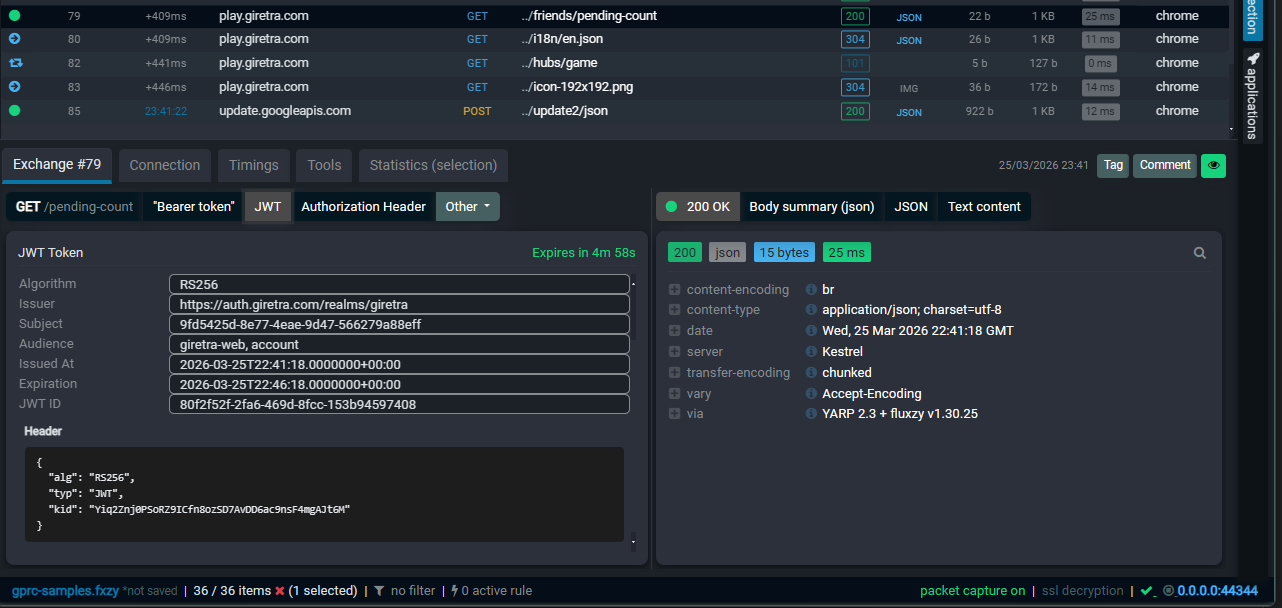
That workflow is over. Fluxzy 2.1 decodes JWTs automatically. Click on an exchange that contains a JWT (in headers, body, wherever), and the decoded header and payload are right there. Claims, expiration times, issuer, audience, all parsed and readable without leaving the app.
No more copy-pasting tokens to external websites. No more accidentally pasting a production token into a public web tool and having a brief moment of panic. Your tokens stay local.
Pinned exchanges
This one is simple and genuinely changes how you work with captures.
When you're debugging, you usually care about a handful of requests out of hundreds or thousands. The login call, the failing API request, that one redirect that's going to the wrong place. But they're buried in a sea of asset loads, analytics pings, and health checks.
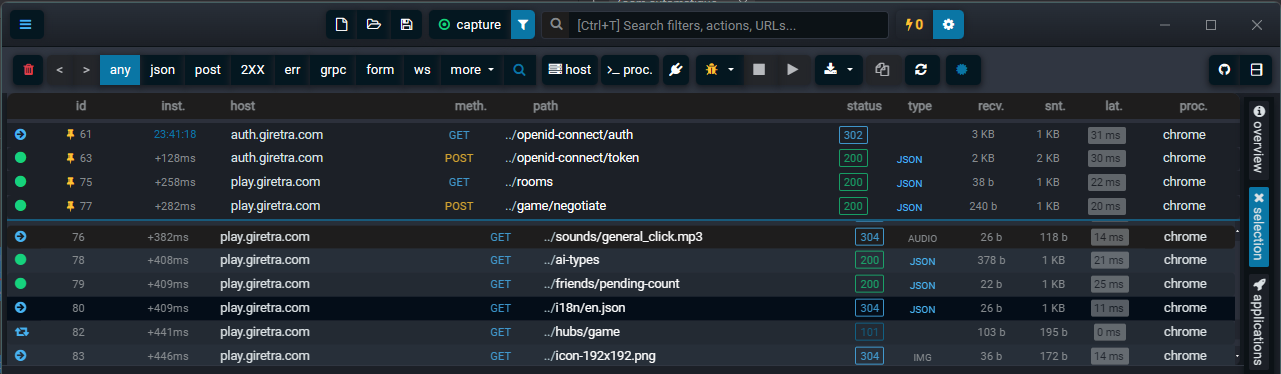
Pin an exchange and it sticks to the top of the exchange list. Pin a few of them. Now your important requests are always visible, easy to compare side by side, and you don't lose them every time a new batch of traffic floods in.
It's the kind of feature that seems minor until you use it, and then you wonder how you worked without it.
Custom environment variables and browser hooking
Fluxzy 2.1 lets you define custom environment variables that get injected when launching a captured browser session. This is more powerful than it sounds.
The big use case: SSLKEYLOGFILE. If you need the TLS session keys for client-to-Fluxzy traffic (for Wireshark analysis, for example), you can set the SSLKEYLOGFILE environment variable directly in Fluxzy's browser launch settings. The hooked browser will write its TLS keys to the file you specify, giving you full visibility into the encrypted layer without any external setup.
But it's not limited to TLS keys. Any environment variable your workflow needs, feature flags, debug settings, custom endpoints, you can configure it once and have it applied every time you launch a browser through Fluxzy.
A big leap in performance
We did serious work on the HTTP/2 multiplexing engine in this release, both on the client-facing and server-facing sides.
The numbers: Fluxzy 2.1 handles over 80,000 requests per second. That's roughly 5x what an uncached Squid proxy delivers.
This matters more than benchmarks suggest. H2 multiplexing performance directly affects how the proxy feels when you're browsing through it. Sluggish multiplexing means pages load slower, streams stall, and you start wondering if the bug is in the proxy or the app. Fast multiplexing means you forget the proxy is there, which is exactly what a debugging proxy should feel like.
The improvements come from reworking how we handle stream prioritization, flow control window management, and frame scheduling. Less copying, fewer allocations, tighter event loops. The kind of boring infrastructure work that doesn't make for exciting screenshots but makes everything feel snappier.
Upgrading
If you're on Fluxzy Desktop 2.0.x, the update should be straightforward. Download from fluxzy.io/download and install over your existing version.
If gRPC debugging is your main interest, make sure H2 is enabled in both directions (it is by default). Then point the proto files setting to your .proto directory for full schema-aware decoding.
What's next
gRPC support in 2.1 is a foundation. We're already working on streaming visualization for server-streaming and bidirectional gRPC calls, and better integration with gRPC reflection for services that support it.
But right now, go grab 2.1. Your gRPC debugging workflow is about to get a lot less painful.
Fluxzy Desktop 2.1 is available now for Windows, macOS, and Linux. Download it here.
Found a bug? Have a feature request? Open an issue on GitHub.