Fluxzy Desktop v1.26.1
New features
New filters for authorization headers:
Add Basic AuthorizationandAdd Header Authorizationfilters are now available for fine-grained control over authorization-related traffic.Process-related filters:
ProcessIdFilterandProcessNameFilterallow filtering exchanges by process. Enable this feature in Fluxzy settings under Process Tracking > Enable process tracking. The process name is now displayed in the Exchange panel. The process ID and name can be used in rules to filter traffic based on the originating application.
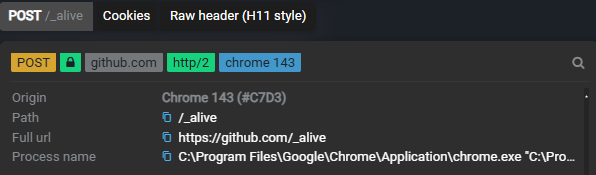
- Capture and apply session: reuse existing web browser sessions with tools like curl. This feature captures cookies and headers from browser traffic and applies them to matching requests. Here is a sample rule you can import to reuse any captured browser session in curl requests:
rules:
- filter:
    typeKind: AnyFilter
  actions:
  - typeKind: CaptureSessionAction
    captureCookies: true
    captureRequestCookies: true
    captureHeaders:
    - Authorization
    - X-CSRF-Token
    - X-Auth-Token
- filter:
    typeKind: RequestHeaderFilter
    headerName: User-Agent
    pattern: curl
    operation: Contains
  actions:
  - typeKind: ApplySessionAction
    applyCookies: true
    applyHeaders: true
    mergeWithExisting: true
Rule importation can be accessed by typing "manage rules" in the search box (or menu > Settings > Manage rules). A blog article illustrating this feature is available at /resources/blogs/share-and-reuse-browser-session.
Fixes
- Fixed license header being appended on first start even when using the non-community edition.
- Fixed UI overlap in manage rules panel when action names are too long.
Others
- Update to .NET 10 for improved performance and stability.
Published at Saturday, 03 January 2026